● Anti-Duress AI · Remote Enterprise IT · South Africa

Physical security is now
part of the attack surface.

CoerceBlock protects high-privilege remote IT workers — and the enterprise data behind them — with local edge-AI duress detection, automated access revocation, and armed-response dispatch. This page indexes the complete investor and talent asset pack.

TBAhardware pricing / user
TBASaaS + response pricing / user
<1sdetection-to-lockdown
12assets in this pack
The Problem

An admin under duress is a walking backdoor.

Traditional cybersecurity assumes the authorized user is acting freely. CoerceBlock closes the gap between physical safety and digital access control — with a fully automated, zero-touch response that works even under direct threat.

How It Works

Six-step automated response.

From duress detection to armed dispatch, the entire protocol runs without a human in the loop.

01

Dual Edge-AI Cameras

Entry-facing + workspace-facing 1080p cameras run YOLOv8 + facial recognition locally — zero video leaves the house unless an incident triggers.

02

Duress Detection

Person-count > 1 or an unrecognized face triggers the protocol, with pose-estimation aggression analytics to filter false positives.

03

The Kill Switch

Milliseconds after confirmation: Azure AD account suspension, SSH key revocation, VPN/Zero-Trust session kill, endpoint network isolation.

04

Dead Man's Switch

If the local device's heartbeat is lost while the employee is logged in, access is throttled or suspended pending secondary verification.

05

Armed Response

Silent API dispatch to partnered private security (Fidelity ADT, Tracker) to the home's GPS coordinates for extraction and arrest.

06

Evidence & Recovery

Encrypted video streams off-site for SAPS investigation; automated incident report; access restored only after manual clearance.

Media Assets

Watch, listen, and see the system explained.

Generated with NotebookLM from the CoerceBlock business plan — ready to embed in a pitch deck, careers page, or investor update.

▶

CoerceBlock: Remote Defense

Full video overview walking through the threat model, hardware, and automated response protocol.

MP4Video Overview
♪

Armed Response for Your Remote Home Office

Podcast-style audio overview — ideal for a commute listen or sharing with prospective investors.

M4AAudio Overview
▦

AI Perimeter Protection — Infographic

One-page visual summary of the detection-to-response workflow, built for the pitch deck or a wall poster.
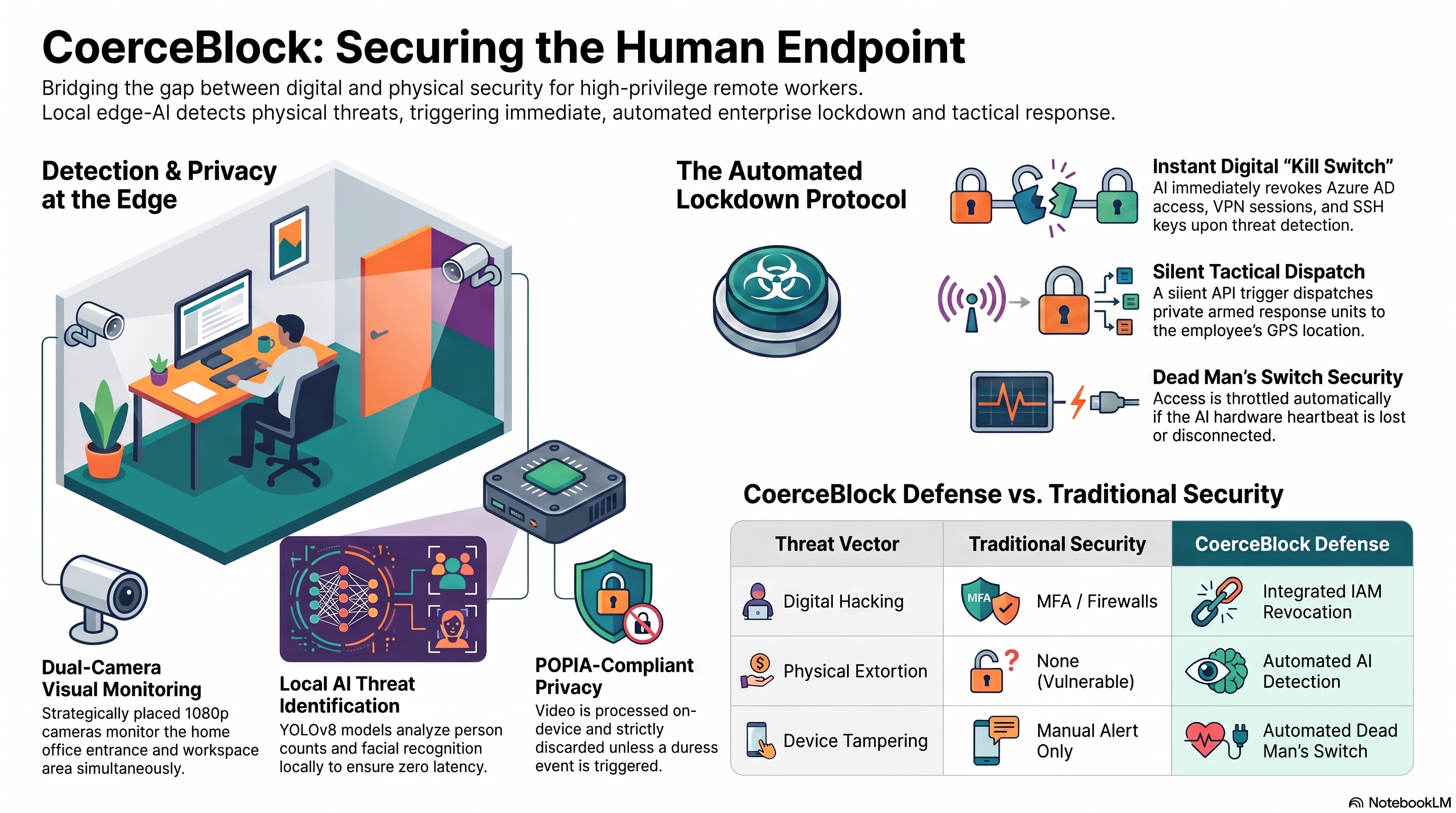
CoerceBlock AI Perimeter Protection Security Workflow infographic
PNGInfographic
Documents & Deck

Everything an investor or new hire needs to read.

Source business plan plus every generated report, briefing, and slide deck — grounded entirely in the original plan content.

FileWhat it isFormat
CoerceBlock Business Plan Full source business plan — problem, architecture, market, financials. PDF Open ↗
Study Guide In-depth guide covering the full plan — for investors or onboarding new hires fast. HTML Markdown Open ↗
Investor Slides Pitch deck — editable PPTX and print-ready PDF. PDF PPTX PDF ↗ · PPTX ⬇
Briefing Report Condensed executive briefing — the fastest way to get up to speed. HTML Markdown Open ↗
"Beyond the Firewall" — Blog Report Narrative piece on why the home office is the newest security blind spot — usable for recruiting or a LinkedIn post. HTML Markdown Open ↗
Onboarding & Learning Kit

Get new hires fluent in the system fast.

✓

Security Quiz

Test comprehension of the duress protocol, kill switch, and compliance model.

HTML
▤

Flashcards

Spaced-repetition-ready flashcards covering every key concept in the plan.

HTML
✦

Mind Map

Structured concept map of challenges, solution architecture, response system, and recovery.

Interactive
Get In Touch

Questions about the plan or the pack?

Reach out directly — we're happy to walk investors, partners, or new hires through any part of the system.

terminalvelocityai@gmail.com